Back in the post about my Proxmox setup I noted that updates and backups were still manual. That aged exactly like you’d expect: they stopped happening. Ten containers and two VMs, and apt upgrade in each one is a chore with no deadline, which means it loses to everything that has one.
So I automated the three layers properly. Everything below runs on the host itself, no external tools, and has survived a few weeks unattended.
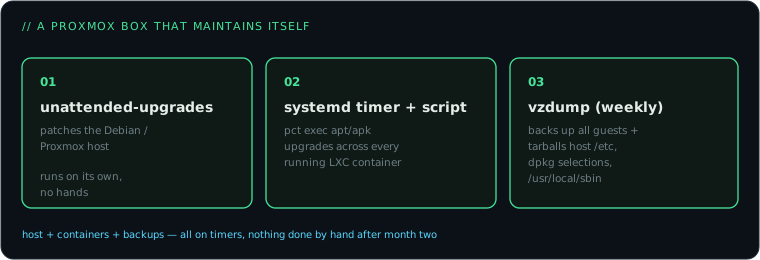
Layer 1: the host updates itself
Proxmox is Debian underneath, so unattended-upgrades does the work. The only non-obvious part is telling it about the Proxmox repository, because by default it only handles Debian’s own origins:
apt install unattended-upgradesThen a local override in /etc/apt/apt.conf.d/52unattended-upgrades-local:
Unattended-Upgrade::Origins-Pattern {
    "origin=Debian,codename=${distro_codename},label=Debian";
    "origin=Debian,codename=${distro_codename},label=Debian-Security";
    "origin=Debian,codename=${distro_codename}-updates";
    "origin=Proxmox,codename=${distro_codename}";
};
Unattended-Upgrade::Automatic-Reboot "false";
That last line is a choice, not an oversight. Kernel updates only take effect after a reboot, but I’d rather the hypervisor running my Home Assistant doesn’t bounce itself at 4 AM. Every month or two I notice the “reboot required” flag and pick a moment. If your household tolerates a scheduled window, set Automatic-Reboot "true" with an Automatic-Reboot-Time and skip even that.
Layer 2: the containers update themselves
There’s no built-in “update all my LXC containers” in Proxmox, but the host can execute commands inside any container via pct exec, so a short script covers it. Mine lives at /usr/local/sbin/update-lxcs.sh:
#!/bin/bash
LOG=/var/log/update-lxcs.log
for ct in $(pct list | awk 'NR>1 && $2=="running" {print $1}'); do
  echo "=== $(date -Is) CT $ct ===" >> "$LOG"
  if pct exec "$ct" -- test -f /etc/alpine-release 2>/dev/null; then
    pct exec "$ct" -- apk upgrade --available >> "$LOG" 2>&1
  else
    pct exec "$ct" -- bash -c \
      "apt-get update -qq && DEBIAN_FRONTEND=noninteractive apt-get dist-upgrade -y -qq" \
      >> "$LOG" 2>&1
  fi
done
The Alpine branch exists because my PostgreSQL container speaks apk, not apt. Scheduling is a systemd timer rather than cron, mostly for RandomizedDelaySec, which stops everything from hammering the mirrors at the same second:
# /etc/systemd/system/update-lxcs.timer
[Timer]
OnCalendar=*-*-* 03:30:00
RandomizedDelaySec=15m
Persistent=true

[Install]
WantedBy=timers.target
Plus a matching .service unit that runs the script, then systemctl enable --now update-lxcs.timer. Add a logrotate entry for the log file and forget about it.
Everything is backed up nightly (next section) and rolling back an LXC from a snapshot takes a minute, so I’m comfortable auto-updating this class of services. If a container runs something version-sensitive, pin it and update that one by hand.
Layer 3: backups without thinking
Proxmox’s built-in vzdump covers both VMs and containers, and backup jobs are schedulable from the UI (Datacenter, then Backup) or the CLI. Mine: every guest, Sunday 02:00, snapshot mode, zstd compression, keep the last two.
Snapshot mode backs up running guests without stopping them. Zstd is fast enough that the whole fleet, including the Home Assistant VM and the Docker VM, finishes before I’m awake. Two weekly backups sounds thin, but this is the local safety net for “I broke it”, not an archive; anything irreplaceable inside the guests is additionally synced off the machine.
The bit most guides skip: the host’s own configuration is not inside any guest backup. If the boot SSD dies, the guest backups restore your services but not the network config, storage definitions and scripts that made the host itself. A second small timer fixes that, tarballing /etc, the package selection list and /usr/local/sbin to the backup storage every Sunday at 01:45:
tar czf "/mnt/backup/host-config-$(date +%F).tar.gz" \
  /etc /usr/local/sbin
dpkg --get-selections > "/mnt/backup/dpkg-selections-$(date +%F).txt"
Rebuilding the host from that plus the vzdump files is an hour, not a weekend.
The checklist version
unattended-upgradeswith the Proxmox origin added, auto-reboot off.- One script looping
pct execupgrades over running containers, on a systemd timer with jitter, logging somewhere logrotated. - A vzdump job for all guests, snapshot mode, sane retention.
- A host-config tarball on its own timer, because guest backups don’t save the hypervisor.
- Once, soon: actually restore one backup to prove the chain works. A backup you’ve never restored is a hope, not a backup.
None of this is clever, which is exactly the point. The clever projects (the heat model, the household bot) only stay fun when the layer under them keeps itself patched and recoverable without me remembering anything.